

Definition
Imagine you have built a web application that needs to connect to Microsoft Azure.
Perhaps it needs to discover cloud resources, inspect configuration, build an architecture map, or provide governance information.
The first instinct may be:
“How do I make my application log in to Azure?”
That sounds like the right question.
It is not quite the right question.
The better question is:
How should my application establish trust with Microsoft without becoming responsible for Microsoft credentials and authentication?
That distinction changes the architecture.
The Scenario
While working through this problem, I had a fairly simple requirement.
The application should eventually be able to say:
Connect Microsoft Azure
The user authenticates.
App receives controlled access.
It discovers authorized Azure resources.
What I did not want was an application asking users for their Microsoft username and password.
That would move a responsibility into the application that Microsoft is already designed to handle.
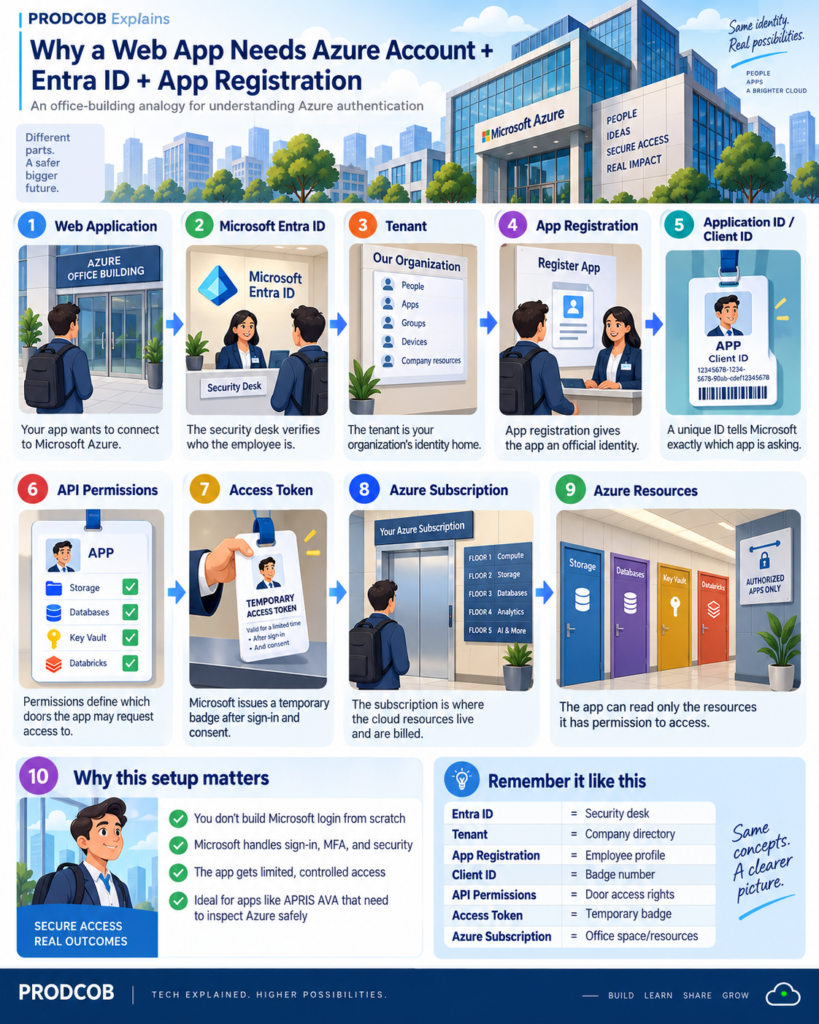
Think of an Office Building
Imagine a new employee arriving at a large corporate office.
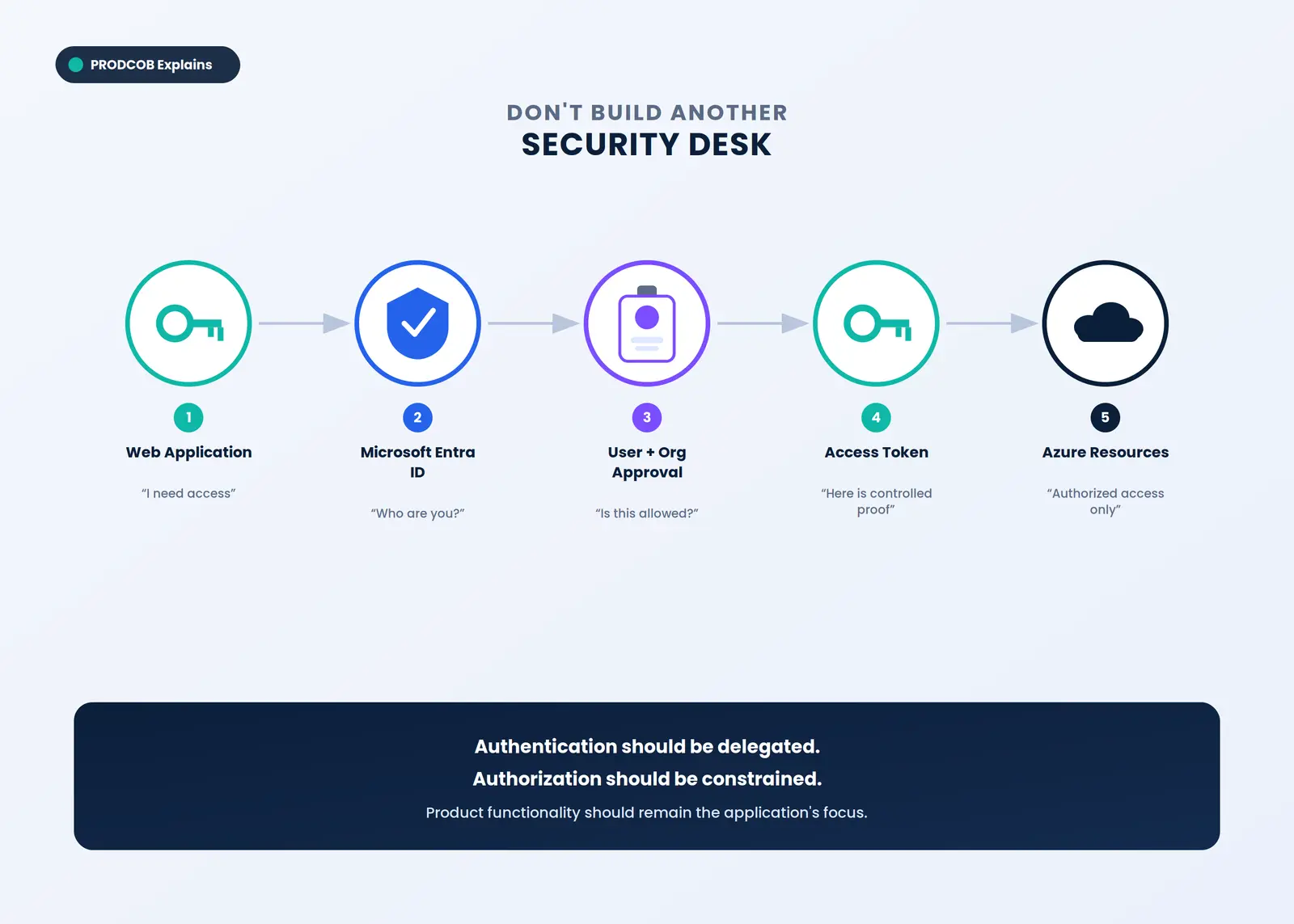
The employee does not build a security desk before entering the building.
The employee goes to the existing security desk.
Security establishes identity. The company directory confirms who the person is. An employee record identifies them. Access rights determine which floors they may enter. A badge provides controlled entry.
Microsoft’s identity architecture follows a similar pattern.
The web application does not need to reinvent the security desk. Microsoft Entra ID already performs that role.
Key Insight
There are really three separate responsibilities.
Microsoft proves identity
Microsoft Entra ID handles the identity and authentication process.
The organization decides access
Consent, organizational policy, API permissions, and Azure authorization determine what the application may access.
Your application delivers the business capability
Your application concentrates on whatever makes the product useful. For the app, that means cloud discovery, relationships, visualization, and eventually governance intelligence, not password management.
Why This Matters Beyond Login
This architecture is not simply about saving development time.
It creates separation of responsibility.
Your product does not need to become the authority for Microsoft identities.
That becomes increasingly important when the application moves from:
one developer → one tenant → one subscription
toward:
many users → many organizations → many Azure environments
That is where architecture decisions made during an early prototype start becoming product decisions.
Key Takeaway
The objective is not:
Build Azure login.
It is:
Establish trusted access to Azure while keeping authentication with the identity provider and keeping application access explicitly controlled.
That is a stronger foundation for a scalable application.
Next: Part 2 — Azure Subscription, Entra ID, Tenant and App Registration — What Does Each One Actually Do?